Skip to content

Gmail Logins – GmailLogins.com

Gmail Login Helps

Menu

Primary menu

  • Home
  • About Us
  • Privacy Policy
  • Terms of Use
  • Contact Us

Category Archives: Gmail

Make a Gmail – NEW 2024 – Easy Steps

Posted on October 19, 2016 by Bnyk — No Comments ↓

Make a Gmail Account and get a free email from Google. Gmail is a free email service by Google Inc. Gmail is widely used free email service worldwide. In this page you will know how you can make Gmail account or also we would like to call it How to create/sign up for Gmail? Below we have explained step-by-step procedures on how to.

How to make a Gmail?

  1. First of all, we would like to recommend you that you open a new window on the same web browser you are using or you can even open another web browser you have installed in your system. To open a new window on the same web browsers simply press CTRL+N for windows OS users and COMMAND+N for MAC users.
  2. On the address bar of the new window type-in or enter the address ‘gmail.com’ and press enter / return key.
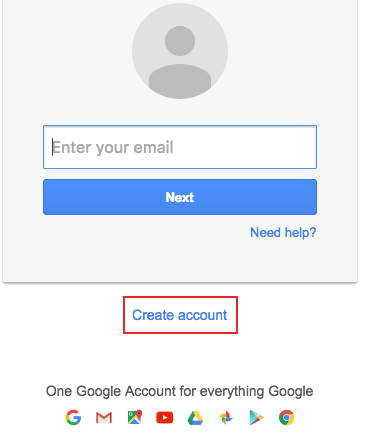
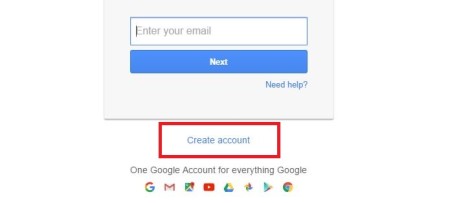
  3. Let the page load, you’ll see the page like the image below.make a gmail
  4. Click on the ‘Create account’.
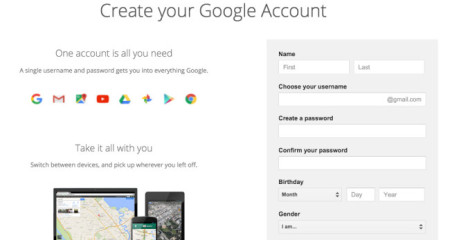
  5. To make Gmail account you will nee to sign up for it by filling up the form.
    1. Start with your First and then Last Name.
    2. Choose your Gmail account name. (This will be your Email address)
    3. Type-in the new password and again retype it on the Confirm your password section.
    4. Select the Month and type in the day and Year of your Birthday.
    5. Choose your Gender
    6. Enter your Country Code & ‘Mobile Number’ – we recommend you add this, as this will be use in future for recovering your password, in case you lost your password or someone else hacks your account.
    7. Likewise, if you have any other email address enter it on ‘Your current email address’ Do no add your work email address. Use more email address from HOTMAIL, YAHOO etc.
    8. Select the location and click on ‘NEXT STEP’
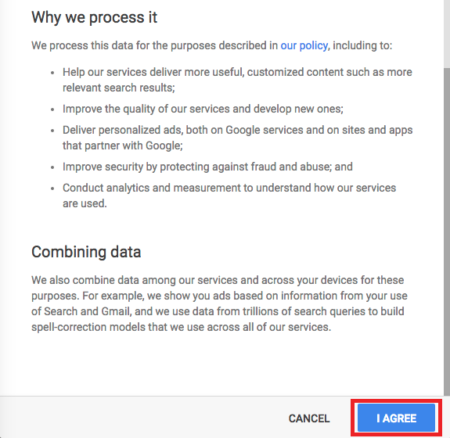
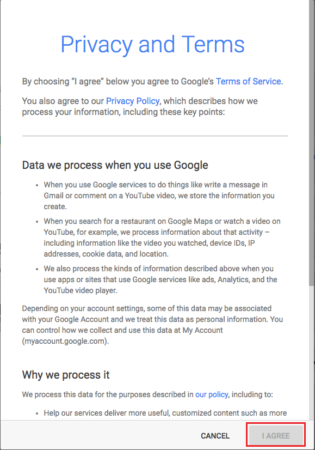
  6. Now, you will need to scroll down the ‘Privacy and Terms’ set by Google and click on ‘I AGREE’ when it turns to blue color.make a gmail
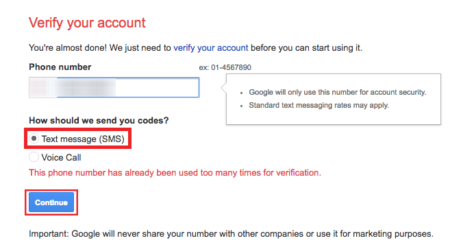
  7. Now, you’ll need to verify your mobile number and for that you can choose SMS (text message) or let Google call you. (We recommend on SMS)screen-shot-2016-10-19-at-12-59-08-pm
  8. Click on ‘Continue’ to receive your verification number in your mobile device.
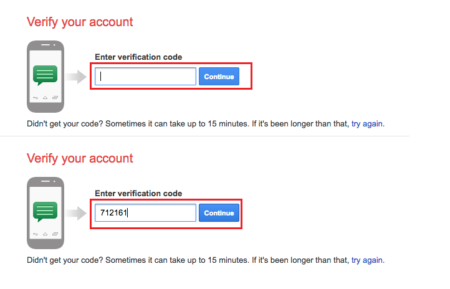
  9. Enter the Verification number and click on ‘Continue’screen-shot-2016-10-19-at-12-59-13-pm
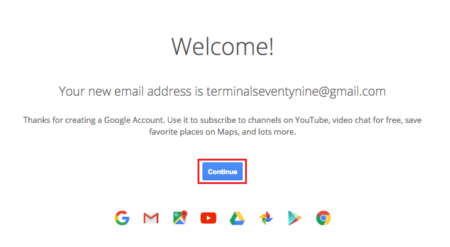
  10. Finally, you have successfully managed to make a Gmail.
  11. Click on ‘Continue to Gmail’ to go to your Gmail mailbox.make a gmail
  12. There you have it… DONE!
Posted in Gmail, Gmail Sign On, Gmail Sign Up, Google Sign In | Tagged create gmail account, gmail account, gmail account sign up, gmail sign up, make a gmail, make a gmail account | Leave a reply

Google Login – Right NOW!

Posted on August 12, 2016 by Bnyk — No Comments ↓

Google login is a simple procedure to sign in to your Google account, to send emails or to check your inbox as well as use it for collaboration sites such as YouTube. If you do not have a Google account then you need to create one. If you face any problem while creating a new account then please visit sign up Gmail for help and procedures to create a new account. To check your mail you can go to www.gmail.com and follow the steps below to login while if you want to use your account for other Google affiliated sites then you can go for quick Google login. To quick login to Google account then please go to www.google.com and follow the steps given below for Google login.

Steps for Google login for PC/mac 

  • To check mail (receive or send e-mails)
  1. First open your web browser and go to gmail.com
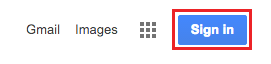
  2. After the page loads click on Sign in which is located on the top right corner of the page.Google login
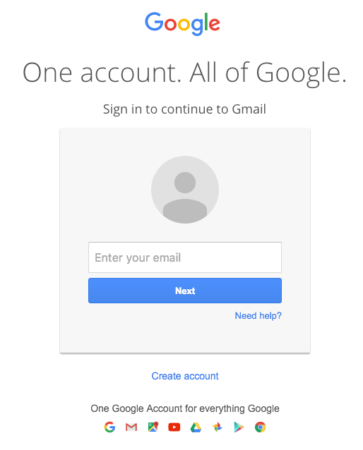
  3. Enter your username, and click on Nextgoogle login
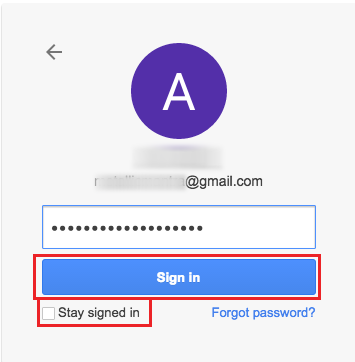
  4. Then, type in the password for your Google account, and click on Sign in.Google login

After you follow these steps you have successfully logged in to your Google account and you can now check your inbox and send e-mails. You can stay signed in by clicking on ‘stay signed in’ if you don’t want to type your user name and password the next time you open Gmail.com on your computer and on the same browser you used to stay signed in.

  • To quick login to Google account (use Google account for Google affiliated sites)
  1. Go to google.com, and after the page loads click on Sign in button located at the top right corner of the page
  2. Like mentioned above, enter your username first, and click Next.
  3. Then, type in your password and click on Sign in.

After you follow these steps correctly you have successfully performed quick login to your Google account and you can now use your Google account to for Google affiliated sites such as YouTube.

Posted in Gmail, Gmail Account Login, Gmail Logins, Gmail Sign On | Tagged google account login, Google Login, Google Login Account, Google Sign In | Leave a reply

Googlemail Sign Up / Sign In – Quick & Fast

Posted on August 2, 2016 by Bnyk — No Comments ↓

Googlemail or Gmail is a web based email service from Google. It is one of the most used email service all around the world. On Gmail, emails are stored in Internet rather than your computer. Gmail can be a very flexible option as you can send and receive emails internationally using this service.

This article gives an overview about the steps involving on both Googlemail / Gmail sign up and sign in. First of all, we need a Gmail ID and password to be able to sign in to Gmail. And if you don’t have one then you need to create a Gmail account.

Steps for Googlemail sign up:

  1. First of all, open any web browser available on your computer and visit Gmail website ‘gmail.com’ or go to ‘www.google.com’ or ‘mail.google.com’
    googlemail
  2. If you don’t have a Gmail account. One must click on ‘Create Account’ link on the Googlemail login page.googlemail
  3. Now on this page, fill some information such as your first name, last name, date of birth and a username that is always used before “@gmail.com”. If someone already has the same user name then Google will not accept that username and you have to request for a new one. It is good to choose an email address, which is easy to remember and it is always a good practice to note down your email address.googlemail
  4. A password you entered should have at least 8 characters so that you can go on to your account securely. Password should be a combination of alphabets and numbers so that it is difficult to guess.
  5. Enter the telephone number and any other email address.
  6. Enter your country and click on Next
  7. Lastly, you need accept the terms and conditions that pops up. Scroll down unless ‘I Agree’ button is highlighted to blue. Click on it.google mail googlemailYou will now have a Gmail account of your own. You can use this account any time to sign in on Gmail.

Steps for Googlemail sign in:

  1. To sign in to your Gmail account, go to the official site of Gmail.
  2. Now you will be provided with a Gmail sign in interface.googlemail
  3. In the first box you will have to enter your Gmail username and in the second box you will have to enter your Gmail password. Note that the password is case sensitive.googlemail
  4. Now click on “Sign in” button and get Gmail account within few seconds.

It is always important to sign in to your Googlemail account securely. For this it’s better to use following steps.

Steps to sign in to Googlemail securely:

  1. You should always use a secured connection of https.
  2. The password plays a very important role to keep your account secure. So, you should never share your password with anyone.
  3. Your password shouldn’t be easy to guess. So don’t ever use your phone number, your family name, and your kid’s name as your password as they are easy for others to guess.
  4. After using the Gmail, make sure that you sign out from it. Need to log out of Gmail, go to Gmail Sign out for help.
Posted in Create Gmail Account, Gmail, Gmail Account Login, Gmail Sign On, Google Sign In | Tagged Google Mail, Googlemail, GoogleMail Sign in, Googlemail Sign up | Leave a reply

Post navigation

← Older posts
Newer posts →

Primary Sidebar Widget Area

Join us in Facebook

Mail Logins

Recent Posts

  • Gmail Not Receiving Emails? 7 Easy Fixes
  • How to Recover a Gmail Account Without a Phone Number (7 Steps)
  • How to Set Up 2-Step Verification on Gmail (7 Easy Steps)
  • How to Sign Out of Gmail on All Devices (Step by Step)
  • How to Add a Second Gmail Account (Computer, iPhone and Android)

Check This OUT:

Categories

Copyright © 2026 Gmail Logins – GmailLogins.com. All Rights Reserved. Privacy Policy
Theme: Catch Box by Catch Themes
Scroll Up